
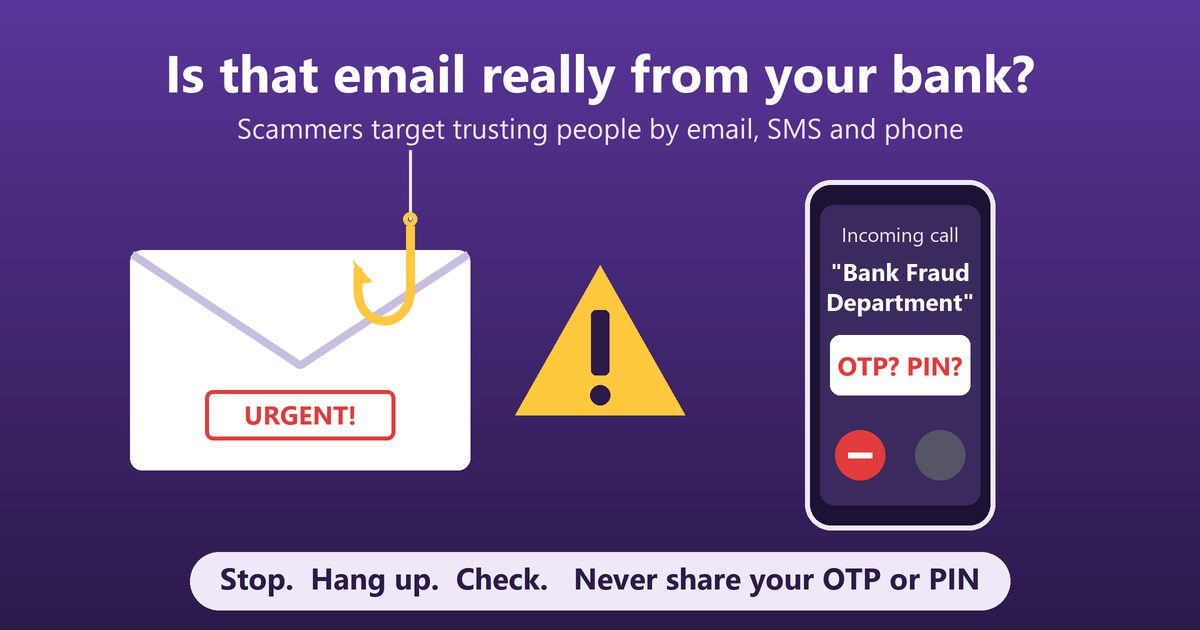
Almost every week someone in St Francis Bay or Humansdorp tells us about an email, SMS or phone call that seemed perfectly genuine: the bank, SARS, SASSA, a courier, even “Microsoft”. Sadly, some of them only tell us after the money has gone. Scammers deliberately target older people, who tend to be polite, trusting and less familiar with how these tricks work. Please read this and share it with your parents, grandparents and neighbours.
How big is the problem?
According to SABRIC, the South African Banking Risk Information Centre, South Africans lost R2.4 billion to digital banking crime in 2025, up from about R1.9 billion in 2024. Most of it did not come from hackers breaking into banks. It came from criminals tricking people into handing over their details, passwords and one-time PINs (OTPs) themselves, through fake emails (phishing) and phone calls (vishing).
Scams doing the rounds in South Africa
- “Your bank’s fraud department” calls. A friendly, professional caller says there is suspicious activity on your account. To “stop” it, they need you to read back the OTP that has just been sent to your phone. That OTP is exactly what they need to empty your account.
- Fake SARS emails and SMSes. “You are due a tax refund, click here to verify your banking details”, or a threatening “outstanding tax” notice demanding urgent payment. SARS publishes a long list of current scam examples on its website, including fake High Court summonses and a WhatsApp profile pretending to be the SARS Commissioner.
- SASSA and pension messages. SMSes and WhatsApp messages telling grant beneficiaries to “re-register”, “verify” their grant or send their ID number and PIN, or they will lose their payment. SASSA has repeatedly warned that these messages are fake.
- Parcel and delivery fees. An SMS or email says a parcel is waiting and asks you to pay a small “customs” or “delivery” fee through a link. The real aim is your card details.
- “Hi Mom, this is my new number.” A WhatsApp message from an unknown number claiming to be your child or grandchild who has lost their phone, followed by an urgent request for money.
- “Microsoft” calls about your computer. The caller says your computer has a virus and asks you to install a program so they can “fix” it. Once they have remote control, they can watch you log in to your bank.
- Romance scams (catfishing). Someone you meet on Facebook or a dating site, often a widower, an engineer working overseas or a soldier, builds a warm friendship over weeks or months. Then comes an emergency, and a request for money.
The warning signs
- Urgency or fear: “your account will be closed today”, “you will be arrested”, “act now”.
- A request for your OTP, PIN, password or card number. No genuine bank, SARS or SASSA employee will ever ask for these.
- A link to “verify”, “update” or “unlock” something.
- An email address that doesn’t quite match, such as a Gmail address for “SARS”, or a bank name with a spelling mistake.
- A request to keep it secret, or not to tell your bank or family.
- Payment by gift cards, vouchers or an instant transfer to a personal account.
- Something that seems too good to be true: a prize, an inheritance, a refund you weren’t expecting.
Stop. Hang up. Check.
- Never share an OTP with anyone, not even someone who says they are from your bank. Your bank already knows its own OTPs.
- Don’t click links in unexpected emails or SMSes. Type the website address yourself, or use your bank’s official app.
- If someone calls you, hang up. Then phone your bank on the number on the back of your card. A real bank won’t mind.
- Never let a caller install anything on your computer, or take control of it remotely.
- Check with family before sending money, especially when the request is urgent. Phone your child or grandchild on their old number.
- Keep your computer and phone up to date, so that known security holes are closed.
- It is not rude to be careful. Scammers rely on good manners. You can always say “I’ll call you back”.
If you think you’ve been caught
- Phone your bank immediately on the number on the back of your card, and ask them to block your cards and online banking. Every minute counts.
- Change your passwords, starting with your email and banking.
- Report it at your local police station and get a case number. SARS-related scams can be reported to the SARS Fraud and Anti-Corruption Hotline on 0800 00 2870.
- Don’t be embarrassed. These criminals are professionals, and they catch clever, educated people every day. Telling someone quickly is what matters.
We can help
Not sure whether an email or message is genuine? Worried that someone has had access to your computer? Ana Maria, known in St Francis Bay and Humansdorp as The Computer Lady, can check your computer for anything harmful, help you secure your email and accounts, and show you and your family how to spot a scam.
Please contact Ana Maria or Carlos at info@racomp.co.za or +27 83 225 8563.
References
- SABRIC: 2025 Annual Banking Crime Statistics Report
- SABRIC: Annual Crime Statistics 2024
- BusinessTech: R2.4 billion stolen from South Africans
- SARS: Scams and phishing, with the latest scam examples
- South African Government: SASSA on fake SMSes circulated to beneficiaries
- South African Government: SASSA advises beneficiaries on avoiding scammers
- SAnews: SASSA warns of scam
Leave a Reply